
How to Export Tabular Data from a Chart or Table in an Aspects Dashboard#
You can download data from Superset in different formats, but probably the most relevant for any Site Operator is how to export tabular data from a chart or table.
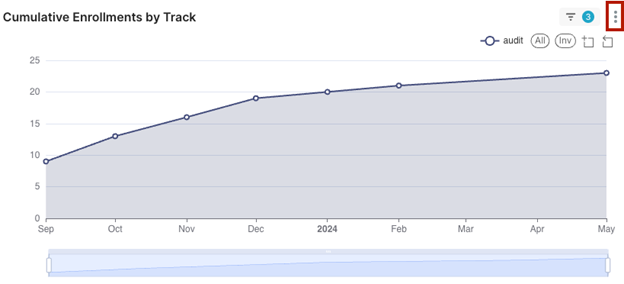
Click the three-dot icon in the upper corner of any chart or table in an Aspects dashboard.
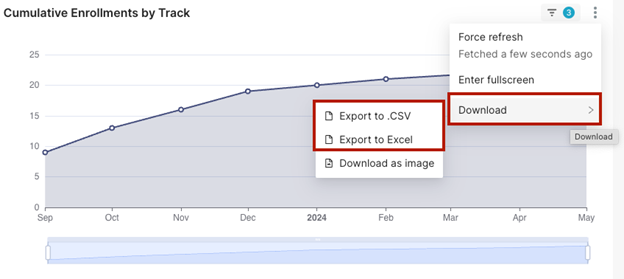
Select Download.
Select Export to CSV to export the table as a CSV file or Export to Excel to export the table as an Excel file.
The exported file will appear in your Downloads folder.
See also
To learn how to export information as a PDF or as an image, visit How to Downloading Reports in Superset Dashboards.