
How to Access Aspects as a Course Delivery Team Member#
Once the Administrator has assigned you the course delivery team role and permitted you to do so, you will have access to the reports from the LMS by following these simple steps.
In the LMS, go to the Instructor Tab.
Select the Reports tab.
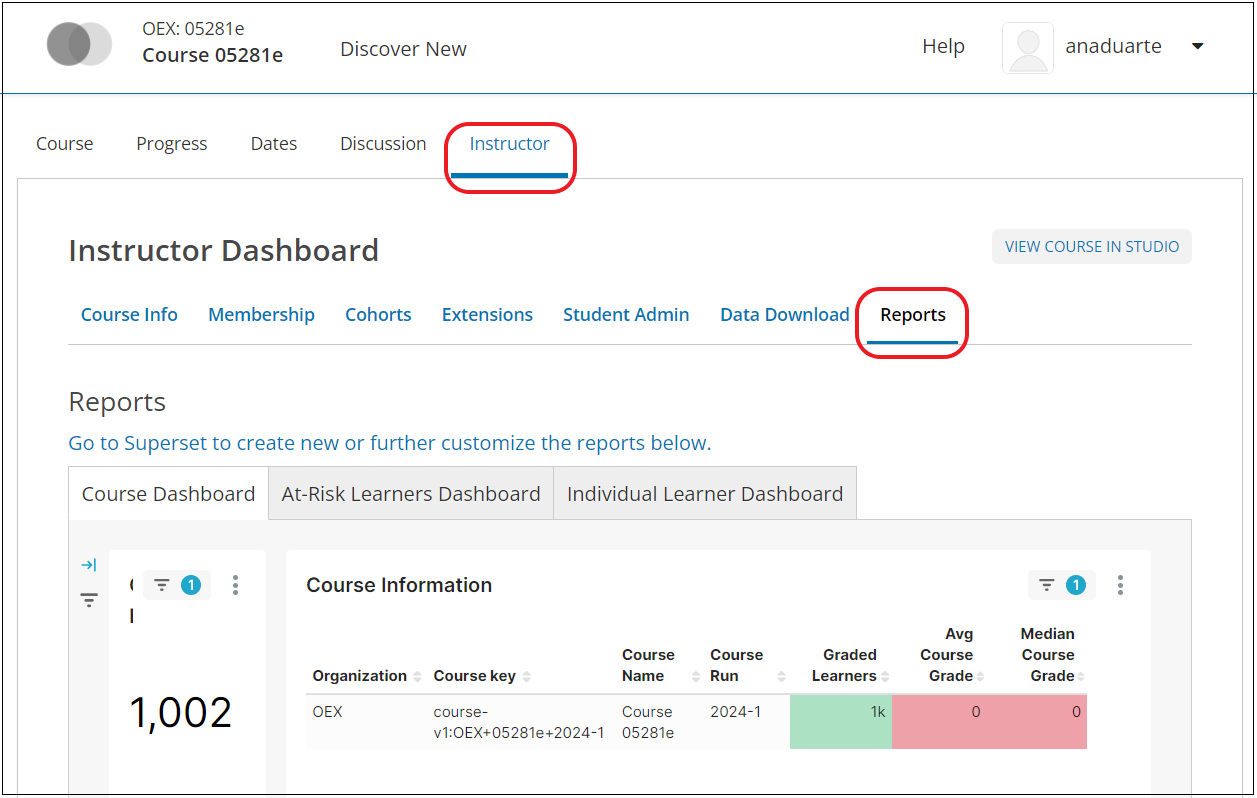
There you will see the three principal dashboards of Aspects: the Course Dashboard Reports, the Individual Learner Dashboard Reports, and the At-Risk Learner Dashboard Reports. From these dashboards, you will see the course and learner information that Aspects has collected.